Open Source · Browser Native · Zero Servers

Perfect logo grids. Zero cloud servers.

BrandFit trims transparent margins, estimates optical mass, normalizes color, and exports review-ready sponsor assets — 100% inside your browser. Sponsor files never leave your machine.

Canvas-only processing
No upload endpoint
ZIP export in browser
BrandFit output grid — final logo assets ready to export
4 outputs · Ready to export
No more manual cropping
Logos that are actually balanced
Aligned Sponsor Logo Grids
One ZIP. Ready for the deck.

What makes it different

Built for one job.
Sponsor logo grids.

Four modules that replace a day of Figma adjustments with a single batch operation. No AI guessing, no cloud dependency — pure deterministic processing.

01  ·  Core Processing

Auto Trim

Reads every pixel channel to find the exact content boundary. Removes surplus transparent space before any further processing so optical balance calculations start from real content, not padded bounding boxes. Zero manual cropping.

Canvas API · Browser Native
Before
After
6 logos · All optically balanced
02  ·  Geometry

Optical Balance

Computes visual center of mass from pixel alpha values, not the geometric midpoint. Logos that feel optically heavy are repositioned until the perceived center sits inside the target cell.

Alpha weighted
03  ·  Color

Color Normalization

One click converts the entire batch to Original, Black, White, or Grayscale. Sponsor grids that mix light and dark logos stay visually coherent at a glance.

4 modes
04  ·  Export

Local ZIP Export

Every processed square asset is packed into a ZIP and streamed directly to disk. No upload, no presigned URL, no server round-trip. Review grid to export in seconds.

WebP · PNG · SVG
05  ·  Architecture

Zero Upload

There is no server. Files are read by the browser Canvas API and never transmitted. Use it on unreleased corporate assets under NDA without any infrastructure change.

Logo files
Canvas API
ZIP to disk
No cloud
0bytes uploaded
logos processed

Workflow

From uneven intake to
balanced grid in three steps.

BrandFit is operational infrastructure, not decoration. The entire workflow runs inside your browser tab.

Step 01
Drop your logos

Drag and drop any mix of PNG, WebP, or SVG logos onto the dropzone. BrandFit ingests them locally — no upload endpoint, no server ping. Files stay inside the Canvas API from the first byte.

Step 02
Review and tune

Inspect trim bounds, optical density, and scale for each logo. Adjust padding, manual scale, output size (128–1024 px), and color mode. See every change in real-time before a single file is written.

Step 03
Export the ZIP

Hit Export ZIP. The browser packs every processed square asset at the chosen resolution (WebP, PNG, or SVG) and streams the archive to disk. Open your event page or pitch deck and paste the grid.

Interface

Built for the
real designer workflow.

Every control is visible. Every output is inspectable before export. No hidden steps, no cloud upload confirmation dialogs.

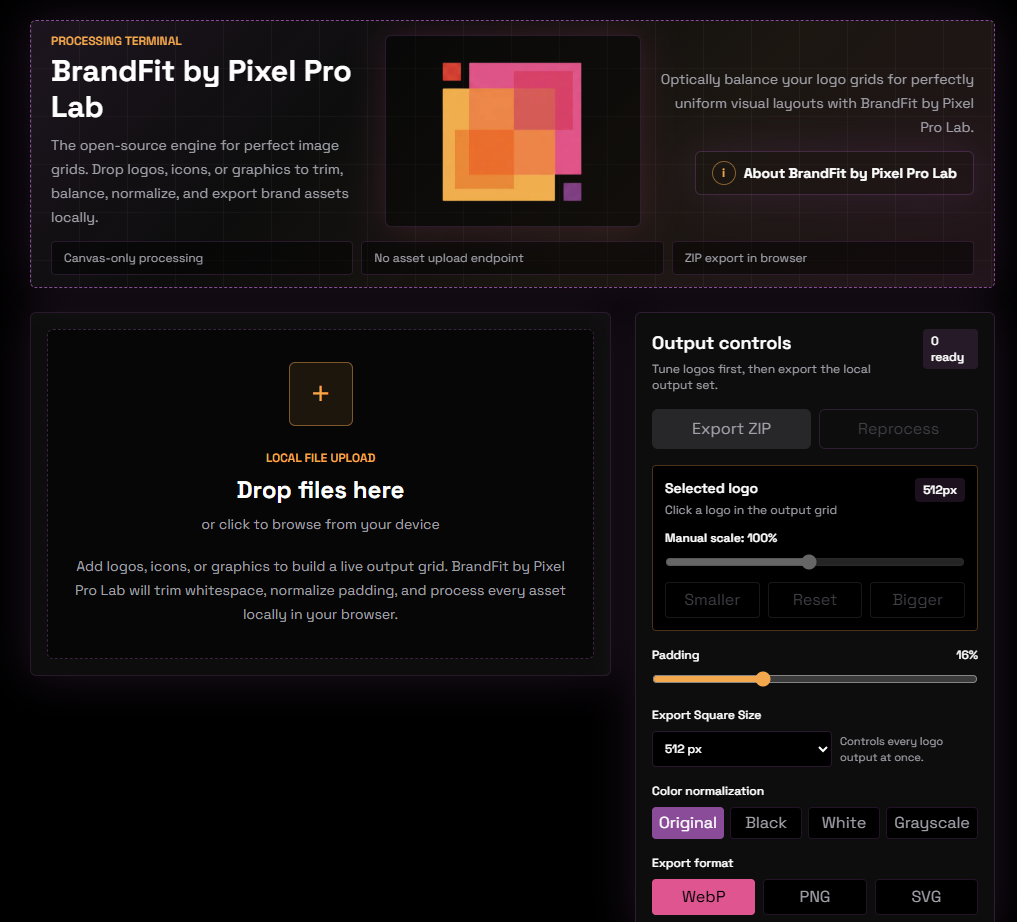
BrandFit processing terminal — drop zone and output controls
Processing Terminal — Drop zone + output controls
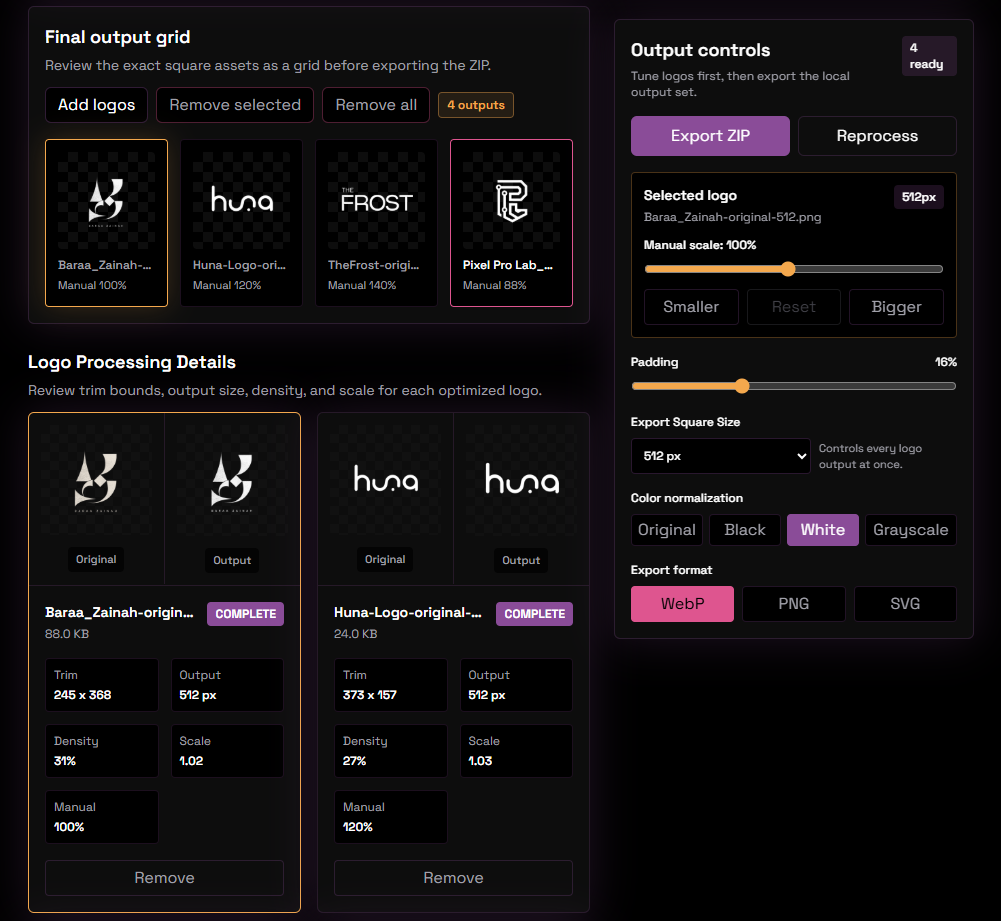
BrandFit output grid — review trimmed logos before export
Output grid — review trim details before ZIP export

Inspect the engine.
Fork the workflow.
Keep the assets private.

BrandFit is open-source design infrastructure. There is no upload path for unreleased corporate assets — not because the server is secure, but because there is no server. Every byte of processing happens inside your browser tab. The source is public. The architecture is auditable. The assets stay yours.

100% Client-side processing
0 Bytes ever uploaded
Open source
Launch BrandFit → View Source
9 logos · Optically balanced · 512 px
All processed locally · Zero upload

Stop adjusting logos
one at a time.

Drop your sponsor logos. Tune the grid. Export the ZIP. It runs in your browser. No accounts, no cloud upload, no waiting.

Open BrandFit → GitHub ↗